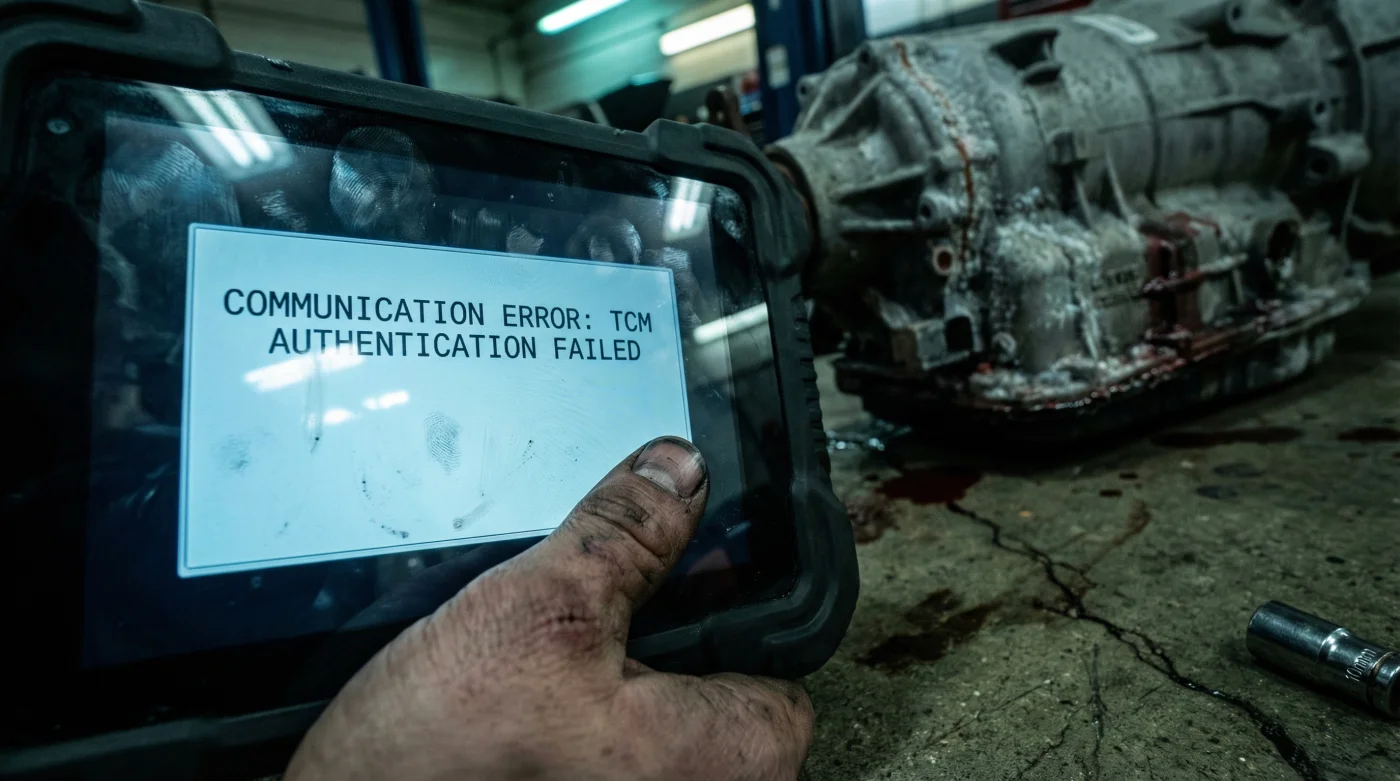
Imagine spending an entire weekend wrestling a heavy Used Transmission into your vehicle, bleeding knuckles and burning through savings, only to turn the key and find the car refuses to move. Or worse, it shifts with a violence that feels like being rear-ended every time you accelerate. This is not an installation error; it is a digital rejection. The mechanical era of simply bolting in a replacement part and driving away has been dead for over a decade, yet thousands of DIY mechanics and unsuspecting shop owners fall into this trap every month.
The culprit is a silent, invisible barrier hidden within the vehicle’s neural network: the Transmission Control Module (TCM). Modern transmissions are no longer purely hydraulic systems; they are sophisticated computers that happen to have gears. When you introduce a donor transmission to a new host vehicle without the proper digital handshake, the car’s central nervous system treats it like a foreign organ. This guide exposes the critical necessity of re-flashing procedures and why skipping this step guarantees failure.
The Digital Handshake: Why Hardware Matches Aren’t Enough
In the golden age of automotive repair, a transmission was a standalone unit. Today, the Used Transmission you purchased acts as a slave to the vehicle’s ECU (Engine Control Unit) and TCM. These modules communicate over a Controller Area Network (CAN) bus, exchanging data thousands of times per second. The problem arises because the donor transmission contains a TCM with the “memory” (VIN number and adaptive data) of the car it came from, not the car it is going into.
If the VIN stored in the replacement transmission’s module does not match the VIN in the engine computer, the security system may immobilize the vehicle. Even if the car starts, the shift points will be calculated based on the wear patterns of a completely different vehicle. This mismatch creates a scenario known as “Logic Lock,” where the transmission physically functions but is electronically paralyzed.
Comparison: The Mechanical vs. Digital Install
Understanding the difference between the physical install and the digital integration is vital for a successful repair.
| Feature | Old School (Hydraulic) | Modern (Electronic/Mechatronic) |
|---|---|---|
| Control Method | Governor weights & vacuum lines | Solenoid Pulse Width Modulation (PWM) |
| Part Swap Req. | Bolt-on and fill fluid | Bolt-on, Flash VIN, Reset Adaptives |
| Failure Consequence | Leaks or slipping | Limp Mode (3rd gear lock), No Start |
| Calibration | TV Cable adjustment | Software Re-flash (J2534 Standard) |
Once you understand that the transmission is a computer, the necessity of the next step becomes undeniable.
The Science of Solenoid Strategies and Adaptive Learning
Why does a non-flashed transmission shift so poorly? The answer lies in Adaptive Learning Strategy. Over time, a transmission computer adjusts the pressure applied to clutch packs to compensate for internal wear. It increases the volume of fluid and the speed of solenoid activation to ensure smooth shifts as the friction material thins out.
When you install a Used Transmission, it comes with its own physical wear state, but your car’s computer is still trying to apply the pressure strategies customized for your old, broken unit. Or, if the TCM is internal (inside the transmission pan), it is applying strategies for the car it was removed from. This mismatch results in “shift flare” (RPM spike between gears) or “shift bind” (two gears engaging at once), which can physically destroy the replacement unit in under 50 miles.
Diagnostic Data: The Consequences of Skipping the Flash
- Nissan CVT Transmissions Stretch Internal Chain Belts Past Seventy Thousand Miles
- Stellantis Dealerships Strictly Reject Used Engine Swaps For Official Warranty Claims
- Honda CVT Fluid Overfills Destroy Internal Seals Without Temperature Calibrations
- Amy Madigan confirms the real reason she left the Oscars early
- Engine Block Heaters Left Plugged In Overnight Slowly Boil Coolant
| Symptom / Code | Technical Mechanism | Immediate Result |
|---|---|---|
| P0600 / U0100 | CAN Bus Communication Failure | Vehicle enters “Limp Mode” (stays in 3rd gear). |
| P1630 (GM/Ford) | Theft Deterrent / VIN Mismatch | Engine starts and immediately stalls. |
| Harsh Engagement | Line Pressure Default (Max PSI) | Catastrophic stress on input shafts/U-joints. |
| Erratic Shifting | Incorrect Clutch Volume Index (CVI) | Burnt clutch packs within rapid mileage. |
Recognizing these codes is the first step, but correcting them requires specific equipment that goes beyond the standard mechanic’s toolkit.
The Mandatory Re-flashing Procedure
To successfully integrate a Used Transmission, you must perform a “Pass-Thru” programming event. This involves erasing the old software from the module and downloading the latest calibration files directly from the manufacturer’s server (OEM website) into the car. This ensures the transmission has the correct shift points for your specific engine size, tire ratio, and differential gearing.
The Protocol Checklist:
- Battery Support: You must connect a battery maintainer set to 13.4V constant. If voltage drops below 12V during the flash, you will “brick” the module, rendering it useless.
- J2534 Interface: A standard code reader cannot do this. You need a SAE J2534-compliant interface device.
- OEM Subscription: You must purchase a short-term subscription (usually 3 days) to the manufacturer’s service portal (e.g., GM TDS, Ford FJDS, Toyota Techstream).
Quality Guide: Equipment Selection for Re-flashing
Not all programming tools are created equal. Use this guide to determine what is required for a safe update.
| Equipment Tier | What to Look For (Safe) | What to Avoid (Risky) |
|---|---|---|
| Hardware (Interface) | J2534-1 and J2534-2 compliant tools (e.g., DrewTech, Mongoose). | “Clone” tools or cheap ELM327 Bluetooth dongles. |
| Power Supply | Clean power maintainer (50+ Amps) with low ripple. | Standard battery chargers (voltage spikes damage ECUs). |
| Connectivity | Hardwired Ethernet to Laptop + USB to Vehicle. | Wi-Fi connections (signal drops cause permanent data corruption). |
Once the software is loaded, there is one final, physical step that connects the digital logic to the mechanical reality.
The Final Step: Fast Adaptive Relearn
After the software re-flash, the computer is “blank” regarding wear. It assumes the transmission is brand new. Since you installed a Used Transmission, it has some wear. You must perform a “Fast Learn” or “Drive Cycle” procedure.
For most modern 6-speed and 8-speed automatics (like the GM 6L80 or ZF 8HP), this involves using a high-end scan tool to initiate the learning process while the vehicle is stationary, followed by a specific driving pattern. This usually requires driving at light throttle up to 45mph, coasting down to a stop without braking, and repeating the cycle 5 to 10 times. This allows the computer to monitor the rate of solenoid fill time and adjust the pressure exactly to the clutch pack thickness of the donor unit.
Dosing the Drive Cycle:
- Temperature: Transmission fluid must be between 158°F and 176°F (70°C-80°C).
- Throttle Position: Maintain between 15% and 25% throttle angle.
- Duration: Expect this process to take 20 to 45 minutes of active driving.
Skipping the relearn process after the flash is like wearing someone else’s prescription glasses; the car might “see,” but it will stumble constantly until real damage occurs.
Read More